Speaker
Keep names stable. If the same person switches labels halfway through, the reader spends attention resolving identity instead of following the scene.
Selected beat
Original neutral preview
Beat 1 of 3
Guide
The signal starts beyond the first gate.
Mysterious · planned for 3.5 seconds
Export boundary
JSON uses a transparent DashedUp planning schema. SVG is a visual storyboard. Neither file imports directly into Geometry Dash, Geode, or another mod.
Ready. Changes stay in this browser tab until you export them.
Your edits stay in this tab. Export before refreshing. No account, upload, game API, or direct in-game import is used.
Quick answer
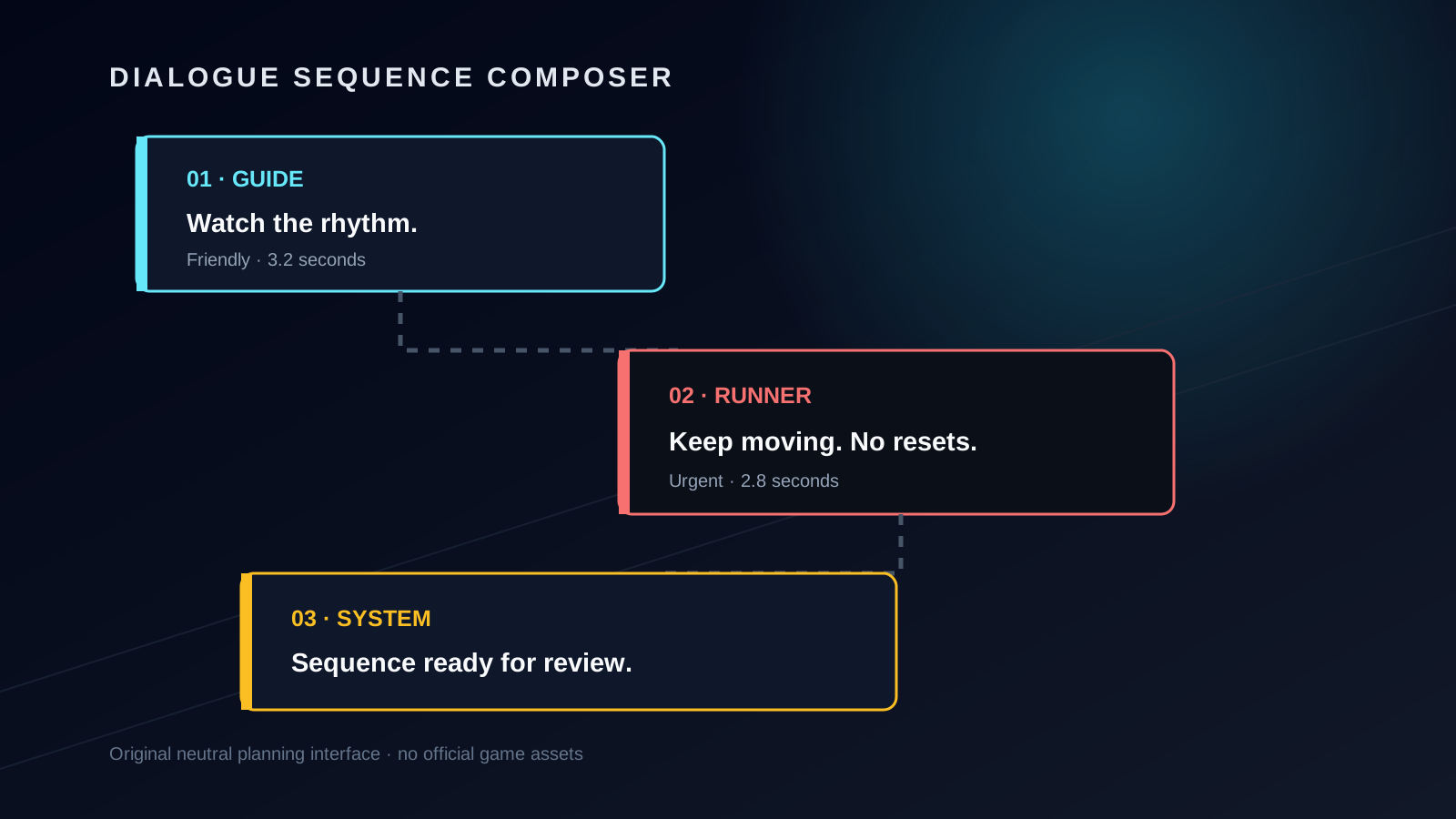
This generator is a sequence composer, not a screenshot filter. Each beat combines one speaker, one readable line, a tone label, and a planned display time. The sidebar exposes the order; the preview exposes the current moment; the export keeps the full sequence together.
That separation matters because dialogue can look convincing as a single card while failing as a scene. A strong sequence makes it obvious who is speaking, why the next line exists, and whether a player could read it without abandoning the action.
Write one purpose per beat: instruction, warning, reaction, transition, or payoff.
Reorder, duplicate, and delete beats until every line changes what the reader knows.
Copy a script or download JSON/SVG with an honest label describing what the file can do.
Sequence anatomy
Keep names stable. If the same person switches labels halfway through, the reader spends attention resolving identity instead of following the scene.
Put the essential verb or warning early. A player should not need to reach the final word to understand the required action.
Use tone as an editorial note: neutral, urgent, warning, friendly, or mysterious. It guides revision; it is not an official game state.
Treat seconds as a planning estimate. Read the line aloud and test it beside motion before deciding that the timing is comfortable.
Start with three beats: orientation, complication, response. Add a fourth only when it introduces information that cannot be folded into another line. Duplicate is useful for testing a rewrite beside the original; delete the weaker version once the difference is clear.
Readable under pressure
Textbox writing competes with movement, sound, decoration, and anticipation. Begin with the information the player needs now. Prefer “Hold through the next gate” over a long explanation that reveals the action at the end.
Use punctuation to shape a natural pause, not to manufacture drama. Repeated capitals, symbols, and ellipses can make distinct speakers look identical. If a line needs more than one breath, split it into two beats and let the sequence show the pause.
The 220-character field limit is a guardrail, not a target. The preview will display longer text, but a compact line is normally easier to scan. Review on a narrow viewport as well as desktop because the same words wrap into more lines on a phone.
Pacing worksheet
The duration slider records editorial intent. It does not start a timer in the game, and the total is not a prediction of how every player reads. Use it to catch obvious mismatches: an eight-word warning planned for ten seconds may drag, while a dense instruction planned for one second will be missed.
Read the full sequence aloud without stopping between beats. If the speaker changes too quickly, merge reactions or move them after the action. If the sequence stalls, remove a line that repeats what the environment already communicates.
Honest output
A plain numbered list for review, translation, or a planning document.
A machine-readable DashedUp planning schema with order, speaker, line, tone, and seconds. It is not a game-import schema.
An original visual board that can be opened in a browser or vector editor. It is not an official textbox skin or game asset.
This page does not generate C++, mod hooks, trigger IDs, texture-loader paths, or a claim of compatibility with a third-party project. Those outputs would require a versioned technical contract and testing against the specific destination. Keeping the planning file generic prevents a plausible-looking download from being mistaken for working integration code.
See the reading context
Open a separate playable browser game and notice when your eyes leave the path. Return to the composer and shorten the beat that would compete with movement. This recommendation does not claim the game contains your sequence or supports importing it.
Play next
Open a separate browser game to practise related movement. This recommendation does not claim that the exact level in this article is included.
Browse gamesDirect answers
No. DashedUp is independent, and this is an original neutral dialogue-planning interface. It does not reproduce an official game screen or claim affiliation with RobTop Games.
No. The JSON is a transparent DashedUp planning format for keeping speaker, line, tone, order, and timing together. It is not a Geometry Dash, Geode, or mod import file.
No. It deliberately avoids code generation because third-party mod APIs and compatibility rules can change. The exports are a readable script, a planning JSON file, and an SVG storyboard.
No. Editing and exporting happen locally in the browser. This version has no account, cloud save, or upload feature.
Use the shortest line that preserves the meaning. The preview supports up to 220 characters, but a shorter sentence is usually easier to read during movement.
It records a planned reading window for each beat and contributes to the sequence total. It does not control an in-game trigger or promise exact player reading speed.
Yes. The exported SVG is an original storyboard layout containing the text you entered. Review your own words and project rights before publishing it; it is not an official game asset.
No. The current sequence stays only in the open tab. Download JSON or SVG, or copy the script, before closing or refreshing.
Research boundary
Search review found an established live textbox tool focused on official-looking output and mod/code export. DashedUp takes a narrower route: sequence planning, an original neutral preview, and explicit export limits. A community example also showed a player using a generator output as raw material and manually editing the result, which supports a reusable storyboard rather than a single static image.
The older US exact-match estimate available in the project is 10 searches per month. It is historical third-party evidence, not a current forecast, and it does not justify indexing this page before product and demand review. Autocomplete modifiers such as custom, color, script, code, animation, and template were treated only as discovery prompts—not as proof of volume or promised features.
Used to identify the existing output model and to choose a differentiated, neutral planning workflow.
Community exampleQualitative workflow evidence only; not a source of product demand or game facts.
Continue with the comment generator, font generator, level name generator, or the full games and tools catalog.