Geometry Dash Lite
Play a Geometry Dash Lite-style rhythm platformer online
Preparing game
More Games You Might Like
View All




Recently Visited
Open a game to save it here.
Geometry Dash Lite
Play Free Online Unblocked - No Download
Play a free, unblocked browser rhythm-platforming experience with no download or install. This is an independent fan-site experience inspired by the format, not the official RobTop app. Tap to jump, dodge spikes, and ride the beat in the game panel above.
About Geometry Dash Lite
The official Geometry Dash Lite app is published by RobTop Games. This independent browser page uses a rhythm-platforming format where you control a geometric cube auto-running through obstacle courses. Your only job: tap at exactly the right moment to jump over spikes, flip gravity, and ride the soundtrack to the finish line. The available browser selection is shown alongside the game; it should not be treated as an official-app inventory.
Lite Levels
Level Guides
Open a level explanation and practice notes without losing the game entry point.
The Free Version Explained
What Is Geometry Dash Lite?
Geometry Dash Lite is the free-to-play version of Geometry Dash, a rhythm-based platformer where you control a small geometric cube that auto-runs through obstacle courses. Your only job is to tap or press Space at exactly the right moment to jump over spikes, flip gravity, slip through saw blades, and ride the soundtrack to the finish line.
It sounds simple. It is not. Each level is choreographed beat-for-beat to its music track, which means survival is less about reflexes alone and more about internalizing the rhythm of the song. This page focuses on the browser experience available here. The official Lite app has its own changing content and update history, so use RobTop's current store listing when you need an official-app fact.
| Feature | Geometry Dash Lite |
|---|---|
| Price | Free (official app is ad-supported) |
| Browser selection | Shown in the game panel |
| Official app | RobTop Games; separate from this browser page |
| Customization | Simplified icon and color selection |
| Internet required? | Required to load this browser page |
| Best for | New players sampling the franchise |
Controls & Tips
How to Play Geometry Dash Lite
The controls are intentionally one-button—the depth comes from when you press it, not what you press.
Controls
- 1. Tap, click, or press Space to make the cube jump.
- 2. Hold the input to chain consecutive jumps when the level demands it.
- 3. Memorize the level. First attempts are reconnaissance; success comes from pattern recognition.
- 4. Follow the music. Most jumps land precisely on a drum hit or bass kick.
- 5. Use Practice Mode to place checkpoints and learn tough sections without restarting every time.
The cube is only one form. As you progress, you will switch to the ship, ball, UFO, and other forms; each has its own control rhythm.
Strategies for New Players
- Look ahead of the cube. Keeping your eyes roughly a third of a screen ahead helps you react before an obstacle is already underneath you.
- Listen to the game. Music is a timing system, not decoration; headphones can make rhythm cues easier to hear.
- Use early attempts for reconnaissance. Spend the first few runs learning what comes next instead of chasing a perfect score.
- Take a break. A short reset after repeated misses can improve timing more than forcing another frustrated attempt.
- Check the device. Browser and device behavior can vary, so use a short repeatable section to learn your own timing.
Where It Fits
Geometry Dash Lite and Other Versions
RobTop Games has released several products in the series. This table summarizes where Lite fits; check current official store listings for changing features.
| Version | Year | Levels | Price | Best for |
|---|---|---|---|---|
| Geometry Dash Lite | 2013 | See current store listing | Free / ad-supported | First-time players |
| Geometry Dash (Full) | 2013 | See current store listing | Paid | Official editor and community features |
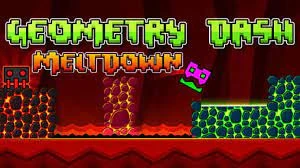
| Geometry Dash Meltdown | 2015 | 3 | Free | F-777 soundtracks |
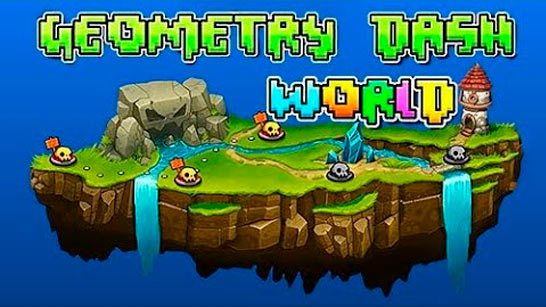
| Geometry Dash World | 2016 | 10 | Free | Daily quests and rotating content |
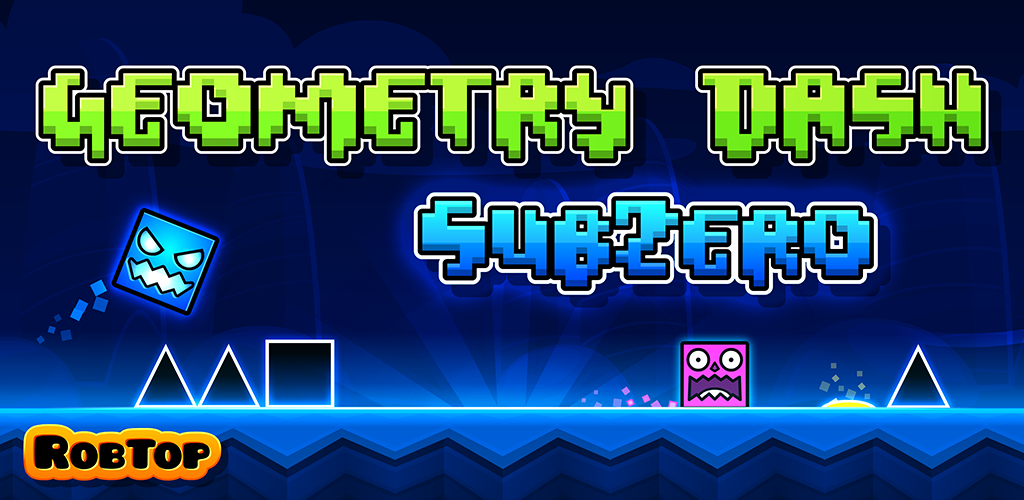
| Geometry Dash SubZero | 2017 | 3 | Free | A short, harder winter-themed challenge |
Official product details can change. Use the current RobTop store listing instead of an old fixed table when a current fact matters.
The Developer
Who Made Geometry Dash?
Robert Topala - RobTop Games
Geometry Dash was created by Swedish independent developer Robert Topala, who works under the RobTop Games name. The series later expanded with products such as Meltdown, World, and SubZero.
Music and Timing
Music is part of the timing system rather than background decoration. Drum hits can signal jumps, bass transitions can mark gravity changes, and melodies can help you memorize obstacle patterns. Headphones can make those cues easier to hear.
An Honest Look
Geometry Dash Lite Pros and Cons
Pros
- +Can be tried without an upfront fee
- +Tight, responsive one-button controls
- +A quick browser sample of the classic rhythm-platform format
- +Electronic music that follows the level timing
- +Opens on phones, tablets, and computers without an app install
Cons
- +This browser experience is separate from the official app
- +The official full-game editor and community features are not provided here
- +Features can vary by platform and update
- +Official product details should be checked against current store listings
Common Questions
Frequently Asked Questions
Is Geometry Dash Lite free?
The official Geometry Dash Lite app is free and ad-supported according to RobTop's current store listing. This independent browser page is also free to open, but it is separate from the official app.
How many levels are in Geometry Dash Lite?
The browser experience and the official Lite app are separate offerings. Use the game panel to see the browser selection available here, and consult the current official store listing for the mobile app's changing content.
Can I play Geometry Dash Lite online without downloading?
Yes. You can open this independent browser experience directly in a browser without downloading or installing an app.
Is Geometry Dash Lite unblocked?
This browser experience is free to open and play directly on DashedUp with no app download. A school, workplace, or other managed network can still apply its own access rules.
What's the difference between Geometry Dash Lite and Geometry Dash?
The official Lite app is free and ad-supported, while the official full game has its own editor and community features. This browser page is an independent experience separate from both official apps.
Is Geometry Dash Lite hard?
The early levels are approachable, but difficulty ramps up. Rhythm memorization, Practice Mode, and short repeatable attempts help you make progress.
Who made Geometry Dash Lite?
The official Geometry Dash Lite app is published by RobTop Games. DashedUp is an independent fan site and browser experience, not the official app publisher.
Can I make my own levels in Geometry Dash Lite?
This browser page does not provide the official full game's online level editor. Refer to the current official full-game listing for its editor and community features.
Does Geometry Dash Lite have multiplayer?
The Geometry Dash series is built around single-player rhythm-platforming. This page does not claim to provide an online multiplayer mode.
Independence notice: DashedUp is not affiliated with, endorsed by, or sponsored by RobTop Games or Robert Topala. Geometry Dash and related marks belong to RobTop Games. Check official Steam, App Store, or Google Play listings for official product information. Steam, App Store or Google Play for official product information.