Outline
Dashmetry Rebranded
Dashmetry has rebranded as Challenge Rush. The original Dashmetry domain now directs players to the new home, so this embedded frame uses the current Challenge Rush browser source.
Challenge Rush describes itself as a free, music-synced browser rhythm platformer. Its current feature page lists Normal, Practice and Endless modes, plus community features and a level editor.
This page remains for legacy Dashmetry searches. It is not the official product site; use the embedded source and its own links for current controls, account, leaderboard and community information.
Overview
What Happened to Dashmetry?
Dashmetry is now Challenge Rush. The Dashmetry domain presents this as the same game under a new home, with levels, scores and leaderboard moving to the Challenge Rush address.
The current Challenge Rush site describes a browser rhythm platformer built around an auto-moving character, timed jumps, portals, pads, speed changes and obstacle sections synchronized with music.
Product features can change. The facts on this page are scoped to the linked Challenge Rush source at the time of review; treat the live game as authoritative for current mode, account and community details.
Genre
Rhythm platformer
Core loop
Auto-run, one-input timing
Current modes
Normal, Practice and Endless
Creative tools
Level editor
Community
Custom level sharing and leaderboards
Install
No download
Controls
How to Play Dashmetry
When a level starts, your cube advances automatically. Your job is to jump at the right moments, clear each hazard, and adapt when portals change movement behavior. The controls stay simple so the difficulty can come from timing, rhythm, and pattern recognition.
Core input
Keyboard or mouse
Current game
Use the in-game controls and settings
Feature status
Check the source for live changes
Form changes are the main adjustment point. Wave-style sections, ship-like movement, and other portal transitions ask your hand to re-time immediately. Recognizing the switch before it happens is a major part of improving.
New players should avoid mashing through early levels. Dashmetry rewards clean, deliberate inputs because every jump changes where the cube lands for the next obstacle. If you miss repeatedly in the same place, slow down mentally and watch the obstacle pattern before restarting. Most mistakes come from clicking when the hazard reaches the cube instead of clicking when the music and layout signal the jump.
Modes
Current Challenge Rush Modes
The current source highlights Normal, Practice and Endless modes. It also lists additional modes as coming soon, so this page does not present a static feature list as a permanent product promise.
Normal Mode
A series of designed levels that increase in difficulty over time.
Endless Mode
A survival run with randomly generated obstacle courses that become harder over time.
Practice Mode
A checkpoint-focused mode for learning difficult sections before a full run.
Editor
Community Levels and the Level Editor
Challenge Rush describes an in-browser level editor for building, testing and sharing custom rhythm stages, along with a moderated community-level library.
Once the basic controls are comfortable, community levels can offer different routes, music and obstacle combinations. That is player guidance rather than an official progression requirement.
For live editor options, moderation and discovery labels, use the Challenge Rush source rather than this static legacy-brand guide.
Pattern Reading
Dashmetry Patterns to Learn First
Most Dashmetry improvement comes from pattern reading. The controls are intentionally minimal, so the game has to create difficulty through spacing, rhythm, portals, and visual timing cues. Learn those cues and the game feels fairer; ignore them and every attempt feels random.
Spikes and traps
Dashmetry starts from familiar rhythm-platformer language: spikes punish early jumps, late jumps, and hesitation. The best players learn obstacle shapes as timing cues rather than reacting after the cube reaches them.
Portals and form changes
Portals are where easy-looking sections become tricky. A movement change can turn a safe tapping rhythm into a wave-style hold-and-release pattern, so your eyes need to read the portal before your hand reaches it.
Coins and orbs
Optional pickups reward cleaner routes and tighter risk management. Chasing them before the main path is stable usually creates bad habits, so learn survival first and optimize collectibles later.
Community difficulty
Custom levels can offer different obstacle, portal and music combinations. Treat their difficulty as creator-specific rather than comparable to the main game.
Comparison
Dashmetry vs Geometry Dash
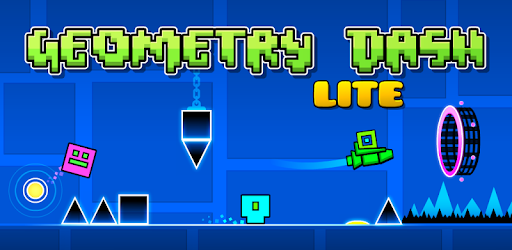
Many players search for phrases like geometry dashmetry, dashmetry geometry dash, or geometry dash lite dashmetry. The honest relationship is simple: Dashmetry belongs to the same broad rhythm-platformer genre that Geometry Dash made famous, but it is a separate game and is not affiliated with Geometry Dash.
If you enjoy auto-running, beat-synced platforming, Challenge Rush may feel familiar. Its own current product identity is described on its source site, including its mode and community features. For a more traditional GD-style browser experience, try Geometry Dash Lite.
This distinction matters for SEO and for players. Dashmetry should not be presented as Geometry Dash, and it should not need to borrow that name to explain itself. It is better understood as a browser rhythm platformer for players who already enjoy precise jump timing, fast restarts, music sync, and custom level culture.
Why Play
Why Try Challenge Rush?
Challenge Rush is designed around quick browser starts and repeated pattern learning. Whether it suits you depends on the current game modes and your preferred rhythm-platformer style.
Treat failure as information: a missed jump can show whether the timing was early, late or disrupted by a movement change. Use the current in-game modes and practice tools rather than relying on this static guide for a feature-specific routine.
Source and scope
Current product information
The rebrand notice is published at dashmetry.com. Current feature information is taken from challengerush.com. DashedUp is an independent guide and does not operate either domain.
FAQ
Dashmetry / Challenge Rush FAQ
Is Dashmetry free to play?
Dashmetry has rebranded as Challenge Rush. The current Challenge Rush source says the browser game is free and does not require a download.
How do I control Dashmetry?
Use the current game's in-game control information. The source describes keyboard and mouse support, but controls can change with the game.
Is Dashmetry the same as Geometry Dash?
No. The game now called Challenge Rush is a separate rhythm-based platformer in the same broad genre; it is not Geometry Dash and is not affiliated with it.
Does Dashmetry have wave-style gameplay?
The current Challenge Rush feature page lists Cube, Ship, Ball, UFO and Wave movement styles. Check the live source for exact controls and availability.
Does Dashmetry have a level editor?
The current Challenge Rush source describes an in-browser level editor and custom-level sharing. Labels and moderation flow may change, so use the live game for current options.
Can I play Dashmetry without downloading it?
Yes. Challenge Rush states that it runs in a browser without downloads or installation.
What should I practice first in Dashmetry?
Start with the current game's Normal or Practice mode and use its in-game guidance. This is DashedUp editorial advice, not official instruction.
Are Dashmetry community levels worth playing?
They can be useful once you understand the core controls. Community content and ranking labels are live product features, so check the game itself before relying on a static guide.
Play next
Practise in a playable game
Open a separate browser game to practise related movement. This recommendation does not claim that the exact level in this article is included.
Browse games