Full Geometry Dash app
This is the surface where the complete editor, shop unlocks, account progression, and pause-menu settings are most likely to match a current guide. A setting can still be hidden until its unlock requirement is satisfied.
Quick answer
Geometry Dash Practice Mode is the built-in checkpoint mode that restarts you from the most recent checkpoint after a crash. By default, it can use the dedicated practice track instead of the level's normal song. In a supported current client, the Music Unlocker and the Practice Music Sync setting are the built-in route to keeping the level song aligned with your practice position.
The Music Customizer, an editor Start Position, and a third-party mod are different tools. If the option is missing, first identify whether you are using the full game, a free or spinoff app, an editor test, or an independent browser build.
Independent-site boundary
DashedUp is not RobTop Games. Its browser games may not expose the same shops, account state, Practice Mode controls, or music behavior as the current official app.
Surface check
The same phrase—Practice Mode—can describe different situations. Diagnose the surface first, because an instruction that works in the full app can be impossible in a browser recreation or another RobTop edition.
This is the surface where the complete editor, shop unlocks, account progression, and pause-menu settings are most likely to match a current guide. A setting can still be hidden until its unlock requirement is satisfied.
RobTop's current store listings advertise Practice Mode in these editions, but that does not prove every shop, unlock, level, or settings page matches the full game.
A Start Position tests an editable level from a chosen point. It can isolate a transition, but it is not the same as entering Practice Mode in the published level.
A browser game can expose a practice button, a custom checkpoint system, or no practice controls. Inspect the actual frame instead of assuming feature parity with the current RobTop app.
Core behavior
Practice Mode replaces a restart from the beginning with a restart from the latest checkpoint. That makes it useful for answering a narrow question: which entry, transition, or exit is failing repeatedly?
The current Geometry Dash Wiki documents automatic checkpoints as enabled by default. Its current Steam reference lists Z to place a checkpoint and X to remove one, while mobile uses on-screen checkpoint controls. Treat those inputs as platform-specific and confirm what your current build displays.
The last checkpoint is not automatically a good checkpoint. A respawn can trap you in a bad speed, gravity, form, camera, or input state. If you die immediately in the same way after every respawn, remove that checkpoint and place the next one before the transition, where you can reproduce the correct entry.
Audio behavior
The dedicated Practice Mode track is Stay Inside Me by OcularNebula. Hearing it does not mean the level's song ID is wrong. It means the default practice-audio behavior is active rather than the level-audio sync path.
The current Pause Menu reference documents Practice Music Sync as a built-in setting that requires the Music Unlocker from the Diamond Shop. The current Practice Mode reference describes the unlocker as the item that leaves the level audio active in Practice Mode. Verify the visible item name, cost, and location in your current client before spending currency.
| Control or method | What it changes | What it does not prove |
|---|---|---|
| Practice Music Sync | Uses the level's Normal Mode music in Practice Mode and follows the practice position. | It does not change hitboxes, physics, or completion rules. |
| Music Customizer | Lets a saved song replace menu or practice music. | It does not automatically make every level song follow every checkpoint. |
| Song ID or library selection | Identifies or supplies music used in a level or editor workflow. | A valid ID does not prove Music Sync is enabled. |
| Start Position | Starts an editable test from a chosen point. | It is not a Practice Mode checkpoint or a Normal Mode completion. |
If your question is which song or ID a level uses, open the Geometry Dash music and song ID reference. If the question is why Practice Mode does not play that song from your checkpoint, continue below.
Symptom tree
Check: Identify the product and build, then confirm the Music Unlocker is owned on the current save.
Next: Do not infer a bug from a full-version video when you are using Lite, a spinoff, an editor test, or a browser build.
Check: Read the item and currency displayed by the current client.
Next: Use the built-in progression path. Old guides contain conflicting historical prices, so this page does not promise a fixed cost.
Check: Confirm the toggle remained enabled inside the level, then reopen the level and test an obvious audio cue.
Next: If the normal song is also missing, move to the song-source checks instead of toggling Practice Mode repeatedly.
Check: Check volume, whether the track is downloaded or available, and which music system the level uses.
Next: Use the music reference to separate an official song, Newgrounds ID, Music Library entry, and NCS entry.
Check: Compare the same point in Normal Mode on the same device and audio output.
Next: Record the level, checkpoint, music source, audio path, and whether Normal Mode is also offset before calling it a sync bug.
Practice UI
Auto-Checkpoints are useful for a reconnaissance pass, but they can place a checkpoint after a mistake has already begun. Switch to manual checkpoints when you need to isolate one transition. If every respawn inherits the wrong state, remove the newest checkpoint and rebuild the approach.
The current Settings and Pause Menu references also separate UI controls from checkpoint behavior. Depending on platform and build, you may see Hide Practice Buttons or a mobile Practice UI configurator with opacity and position controls. Hiding the overlay does not disable Practice Mode.
Before hiding the controls completely, confirm that you still know how to place and remove checkpoints on your platform. Advice that tells you to delete files merely to hide the help overlay may predate the current built-in UI controls.
Do not conflate methods
Use the Music Unlocker and Practice Music Sync when the job is to keep the level's normal song aligned with the Practice Mode position.
Use this when the job is to select a saved menu or practice track. Customization is not automatically checkpoint-aligned level audio.
Use it in your own level or a legitimate editable copy to isolate a section. It changes the test setup and is not a published-level Practice clear.
A mod can use the same phrase as the built-in setting, but compatibility, account rules, updates, and security belong to the third party. This guide does not provide an unlock bypass.
Transfer loop
Record the first repeatable cause—late portal read, wrong height, held input, missed visual cue—not only the death percentage.
Place a checkpoint before the state change. Include enough approach to reproduce speed, gravity, form, camera, and the first input after the transition.
If every respawn inherits the same broken state, go back one checkpoint. A lucky clear that immediately crashes into the next input is not stable practice.
Move the checkpoint backward after the action is predictable. For wave or ship, train the entry height and release instead of practicing only the middle of the corridor.
Return to Normal Mode or a longer run. If the failure returns, the isolated checkpoint hid an entry-state problem; widen the segment rather than adding random attempts.
For a long Demon, back-chaining can reduce end-of-run surprise: learn the final section, connect the section before it, and keep extending toward the beginning. This is a workflow, not a promise that one percentage split works for every level.
Use the level owner for specific geometry. Continue with the Bloodbath practice guide, Sonic Wave reference, or Deadlocked guide instead of treating one generic checkpoint map as universal.
If repeated inputs are the bottleneck, run the local Geometry Dash click counter before practice. It measures a separate capture panel and never claims to read the game iframe.
DashedUp boundary
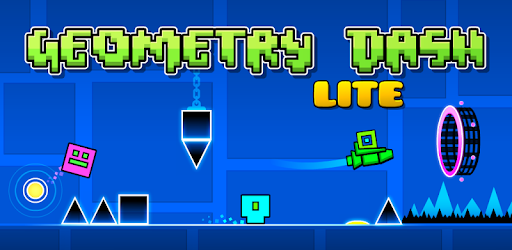
You can open Geometry Dash Lite in the DashedUp browser player and inspect the controls exposed by that build. Treat it as an independent browser experience, not as a substitute for checking the current RobTop app.
If the frame has no Practice Mode or shop/settings entry, the surrounding article cannot enable it. If it has a similarly named control, test its behavior in that frame rather than assuming account progression or unlocks carry over. For other browser entries, use the games catalogue.
Questions players ask
Practice Mode is the built-in checkpoint mode. After a crash, the player restarts from the latest checkpoint instead of the beginning, allowing a difficult section to be repeated.
No. It is a learning mode with separate progress behavior. A Normal Mode completion still requires the level's normal completion conditions.
Stay Inside Me by OcularNebula is the dedicated practice track documented by the current Geometry Dash references. Hearing it means the default practice-audio behavior is active, not that the level's song ID is necessarily wrong.
Play the normal level song in Practice Mode by using a supported current client, owning the Music Unlocker, opening the extended practice settings, enabling Practice Music Sync, and testing a checkpoint with an obvious audio cue. Verify the item and labels in your current client because builds and shop details can change.
Practice Music Sync can be missing because of the wrong product or surface, an older build, an unlock not owned on the current save, or confusion with a mod or editor workflow. Identify the surface before changing files or installing anything.
No. Music Customizer selects a saved song for menu or practice music. Practice Music Sync is the behavior that keeps the level's own Normal Mode audio aligned with Practice Mode.
Turn off automatic checkpoints by opening the pause or extended practice settings in the current client and disabling Auto-Checkpoints if that option is available. Then place checkpoints manually before the transition you want to test.
Current references document Hide Practice Buttons and, on mobile, a Practice UI configurator. Hiding or moving the overlay does not disable Practice Mode. Confirm another way to place or remove checkpoints before setting opacity to zero.
No. A Start Position is an editor object for testing an editable level from a chosen state. A Practice Mode checkpoint belongs to a practice run. Neither is a Normal Mode completion.
A mod is not necessarily required for normal music in Practice Mode. Current Geometry Dash references document a built-in Music Unlocker and Practice Music Sync path; mods are third-party alternatives, not official requirements.
Music can remain silent with Music Sync enabled when the underlying song is unavailable or silent in Normal Mode too. Test Normal Mode, then inspect volume, download or availability, and the song source before treating it as only a Practice Mode setting problem.
Evidence trail
RobTop's current Google Play and Steam listings confirm Practice Mode as a game feature. The current Geometry Dash Wiki documents the detailed Practice Mode, Pause Menu, Settings, Diamond Shop, and Mechanic behavior used in this guide. All were checked on 2026-09-04.
Community discussions were used only to identify confusing language and outdated alternatives. Before publishing a material settings, cost, or version claim, re-open the current source and update the visible copy, metadata, structured data, and checked date together.
Independent guide · source check 2026-09-04 · exact labels, menu paths, unlock state, and costs remain client- and build-specific.
Play next
Open a separate browser game to practise related movement. This recommendation does not claim that the exact level in this article is included.
Browse games